
Design the User Flow and Build a Working Version of Your Project
Give Your Project a Clear Path
In the previous lesson, you shaped your idea and explored what the project could look like. Now you'll turn that direction into an editable project you can keep developing. You'll use those decisions to create a more deliberate asset.
Before AI creates the sections, screens, or interactions, you need to decide how the visitor or user should move through them. That's the user flow — the route that connects the decisions in your brief to the experience you'll build.
A user flow becomes especially useful when a project contains several screens, actions, or features, because it helps those parts work as one coherent experience. It also applies to a one-page portfolio or landing page: there, the flow is the order in which a visitor moves through the sections, understands the work or offer, sees supporting evidence, and reaches the next action. The flow can be simple. Its purpose is to make each part prepare the next, not to add unnecessary complexity.
Start by bringing parts of your brief back into view:
- Audience and purpose: Who should use or visit the project, and what do they need?
- Core experience: What should they be able to do, and what useful result or changed state should follow?
- Scope and focus: What must this version include, and what should stay out for now?
Keep your chosen project type — portfolio, product website, product app, or team tool — as the format for the build. Keep the decisions that still fit and update the rest. Together, these notes define the project's purpose, scope, and overall direction.
With those choices back in view, you're ready to start implementing them with a clear plan.
By the end of this lesson, you'll have a primary flow map, an updated brief, and a working version of your project built around that route. Along the way, you'll learn how to write focused build requests, respond to common questions from the tool, and understand what the most common actions in vibe coding do.
Plan the Path Before You Build
A user flow maps the behavior you expect from a visitor or user: where they enter, which target actions they take, what the project shows or changes in response, and how they reach a useful result. It also captures the next step at the end of the route. Planning the flow before you build helps you decide what the project needs to show and how its parts should work together.
A flow connects user actions with project states.
- An action is what the visitor or user does.
- A state is what the project shows before an action, while responding to it, or after it produces a result or needs attention. Useful labels include Starting state, In progress, Success, and Needs attention.
Websites have states, too. A mobile menu can be open or closed, a case study can be collapsed or expanded, a form can show a missing field, and a contact action can show a confirmation.
In a product app or team tool, the flow may connect several screens, actions, and states. In a portfolio or product website, it may connect pages, case studies, navigation, calls to action, or the order of sections on one long page.
The same logic applies to all four project types, but the route takes a different shape in each one. Compare the various flow examples below. Notice where each path begins, which target actions it contains, and where it leads:
One Possible Primary Flow
Treat these patterns as flexible starting points. The project type shapes the route, while the project's purpose guides which steps belong in it. A one-page product website may need only four well-ordered sections, while a product app may need several screens and clear responses to the user's actions.
A list of screens or sections tells you what the project contains. A user flow explains how a visitor or user moves through those parts, which actions they take, and how the project responds.
Let's practice with the portfolio example by arranging the steps of a simple flow. The same entry-to-result logic applies to every project type, so arranging this example will give you a pattern you can transfer to any other project type.
Put a Portfolio Visit in Order
Arrange the steps so the visitor can form an impression, examine the work, and choose what to do next.
- View more work or choose a contact option
- Open a project that looks relevant
- Scan the introduction and project list
- Review the creator's contribution and outcome

This order lets the visitor form an initial impression, examine the evidence, and then act on what they learned. The visitor may understand the creator's focus gradually while exploring the work. In every format, each step should prepare the next one.
This flow is written as a sequence. Next, you'll turn the same thinking into a visual map.
Map the Shortest Useful Flow
A user flow can be written as a sequence, and a visual version makes the route easier to inspect at a glance. A flowchart helps you see the order of actions, the project's responses, and the points where the path branches.
A flowchart is a visual map of a process. Each box represents an action, response, or choice, and each arrow shows where the route goes next. A visual map makes the order, gaps, and branches easier to inspect before you build.
A simple portfolio flowchart might look like this:
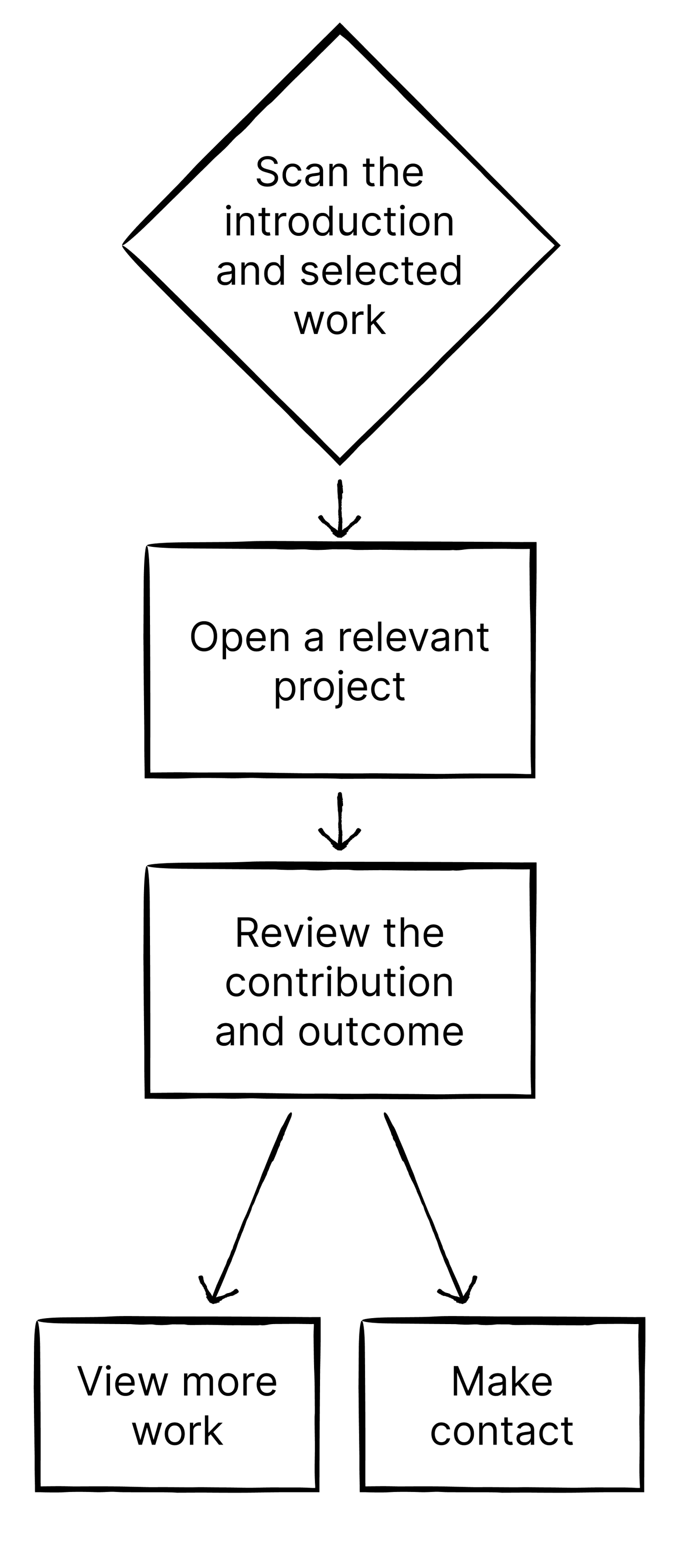
You can draw the map with boxes and arrows, use sticky notes, or write it as a short sequence. Use any format that makes the route clear; a simple sketch is enough.
Four basic elements are enough for this lesson. The table shows what each one adds to your flowchart:
| Flow element | What it shows | Plain-language example |
|---|---|---|
| Start or finish | Where the flow begins or the useful result appears | A visitor arrives on the portfolio homepage. After reviewing the work, they reach the contact option. |
| Action | What the visitor or user does | A visitor opens a relevant case study and submits sample information |
| Response | What the project shows or changes after the action | The portfolio shows the project's problem, the creator's contribution, and the outcome. |
| Choice | Where the visitor or user can continue in more than one way | A visitor can view another project or choose the contact option. |
Build the Core Route Before the Branches
A project usually has a core route: the shortest route from the entry point to the main useful result. Branches appear when a choice, question, or problem sends the visitor or user along a different path.
Mapping the core route first gives each useful feature a clear job and places it where it supports the next action. A branch earns its place when it helps the visitor or user explore, revise, recover, or continue.
Focus first on the main actions and the key choices that change the route. These branch types work across portfolios, websites, apps, and team tools:
- Explore or compare: Open another case study, proof point, option, or work item.
- Revise or go back: Change an input or return to an earlier section or screen.
- Recover: Correct missing information, retry an action, or continue after a problem.
- Continue or hand off: Make contact, submit a request, use the result, or pass work to the next teammate.
A branch should show three things: what triggers it, how the project responds, and where the visitor or user rejoins the core route or finishes elsewhere.
For example:
- Portfolio — exploration branch: Core route: Homepage → case study → contact. If the visitor wants more evidence while viewing the case study → they open another project → review it → then return to the contact option or finish browsing.
- Product app — recovery branch: Core route: Add content → run the action → view the result. If the content needs a correction → the app keeps the existing input and explains what to change → the user corrects it → then rejoins the route at the main action.
Branches can help someone explore or compare, revise or go back, recover from a problem, or continue to another person or stage. Start with the core route, then add the key branch — the one that most helps the current experience.
Compare Core Routes and Branches
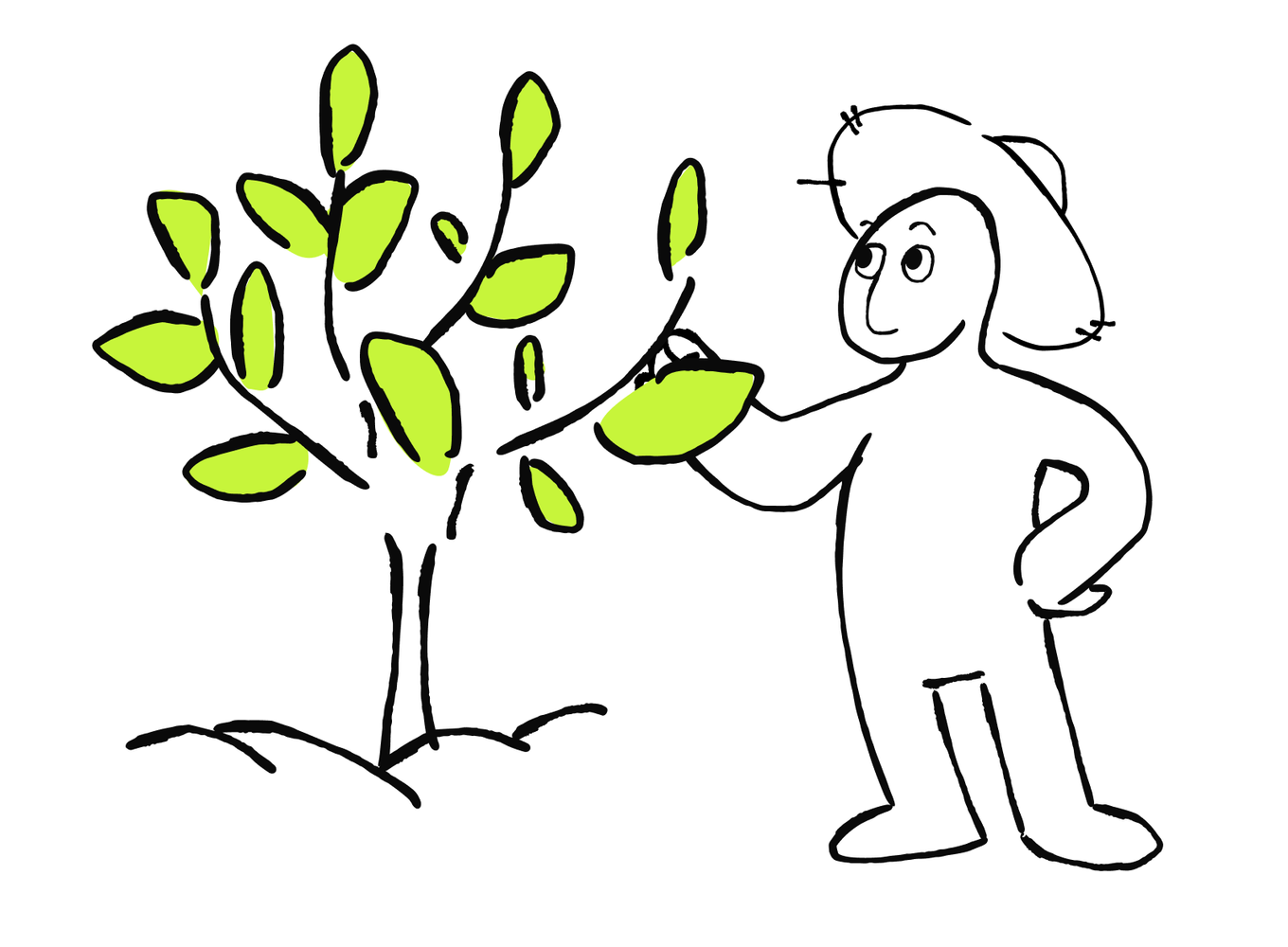
Take a look at four complete examples. Each one connects the visitor's or user's goal with their actions, the project's responses, one likely point of friction, and the intended result.
Compare Core Routes and Branches
Each flow goes beyond listing pages or screens. It places information and project responses where the visitor or user needs them to keep moving.
Build Your Primary Flow
Now build your own primary flow for the project. Start by mapping the core route and one key branch:
- Start: Where does the visitor or user enter, and what are they trying to accomplish?
- Core path: Write three to five actions in order. After each action, note what the project should show or change.
- Supporting information: Add the content, explanation, or proof needed before the relevant action.
- Finish: Name the useful result and the next action or exit.
- One key branch: Add the most useful choice or likely problem, the project's response, and where the route continues.
If you're building a one-page website, use the section order as the core path. If you're building an app or team tool, use the main screens and state changes. This shorthand can help:
Core route: [Entry] → [Action + project response] → [Action + project response] → [Useful result + next step]
Branch: If [choice or problem] → [project response] → [rejoin the route or finish]
You can sketch the route yourself or describe it to AI in plain language. If flow mapping is new to you or time is limited, AI can organize the core route, make the branch visible, and point out transitions that need a decision. Review the output against your brief so every step reflects your actual project.
Once the route is visible, you can check where the visitor or user needs clearer guidance, a visible response, or help keeping their place.
Find and Fix a Weak Flow
A mapped route can still contain friction. A step may appear too early, provide too little guidance, or hide the project's response.
To see how actions, visible states, and recovery work together, consider a product app that turns sample meeting notes into a short project update. Its input, progress, success, and recovery states make the weak points easy to inspect:
- The opening screen shows New and Continue, while the expected result remains unclear.
- After choosing New, the user adds notes and selects Create.
- The screen stays unchanged while the app works.
- An error clears the notes, while a successful request shows only Complete.
The route reaches an end, yet the user still needs a clearer start, visible progress, a recovery path, and the actual result.
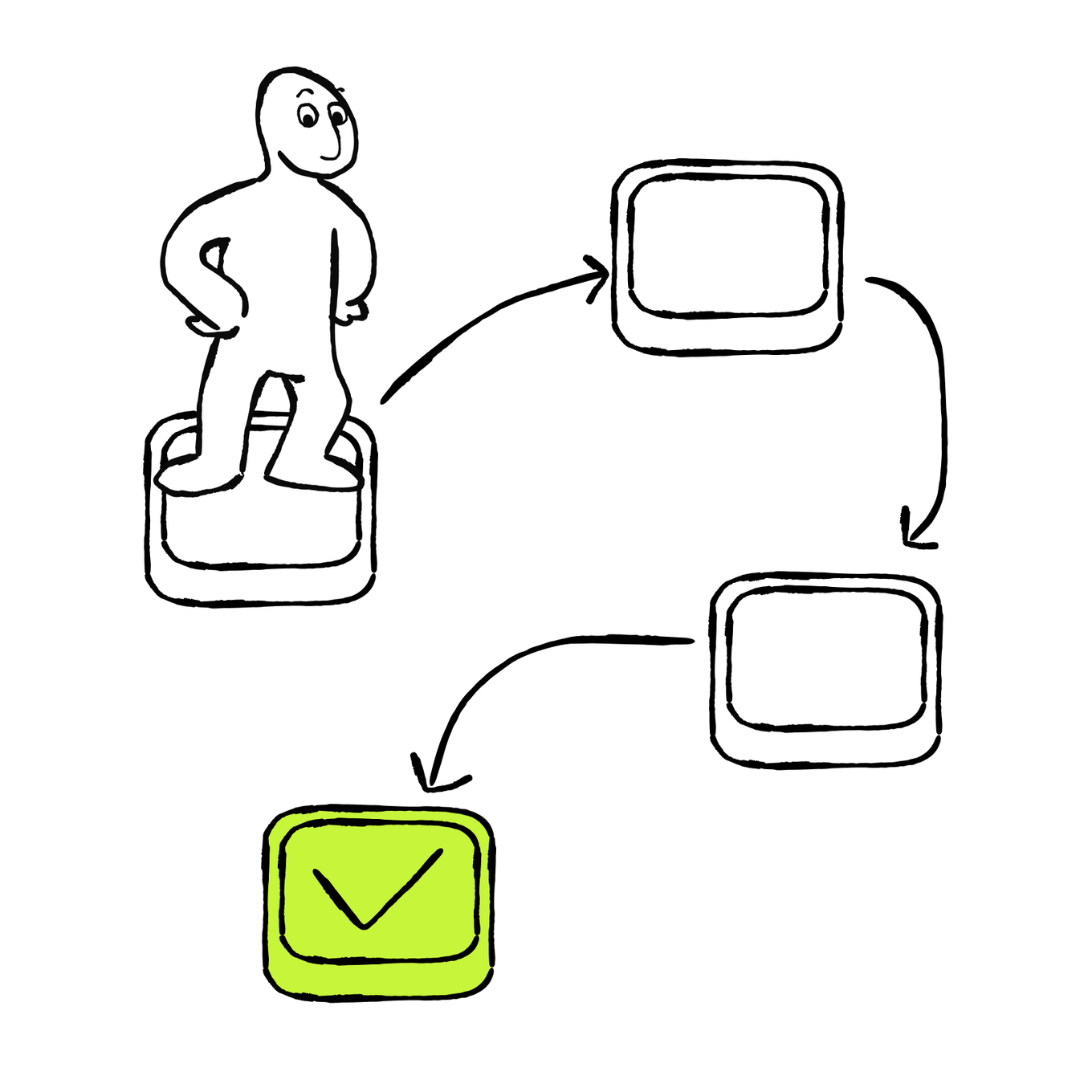
Which changes would repair this flow while keeping its current purpose and feature set?
The improved flow is shorter and easier to follow. It separates what the user does from what the app shows before, during, and after that action:
- Starting state: The app explains that it turns meeting notes into a project update and shows the notes field with the input requirement.
- User action: The user adds the meeting notes and selects Create.
- In progress: The app immediately shows that it's creating the update.
- Success: The finished update appears with options to revise the notes, copy the result, or start again.
- Needs attention: The app keeps the notes, identifies the missing input, and lets the user retry.
These labels describe states: what the project shows before, during, or after an action.
For your own project, choose the states that support the primary flow and its most likely point of friction. Broader edge cases and detailed testing get their own focus later in the course.
Review and Refine Your Flow
Before you build, review your flow with the same questions:
- Can the visitor or user immediately tell where to begin?
- Does each choice matter at the moment it appears?
- Is the information or proof needed for an action shown before that action?
- Does every important action produce a visible response?
- Does the finish show the useful result and a sensible next step?
- If the flow stalls, can the visitor or user recover while keeping their work, place, and context?
Read your flow once from the visitor's or user's point of view. Any answer that needs work points to a step you can revise. A useful fix may remove an unnecessary step, move information earlier, clarify a choice, add a project response, or create a recovery path. When all six answers are clear on paper, mark the step you most need to verify in the preview.
Add the Flow to Your Brief
Your brief explains what you're building, who it's for, and what belongs in the current scope. Your revised flow adds another layer: the order of actions, the project's responses, the useful finish, and one important branch or recovery path.
Updating the brief keeps the project direction and the route together, so AI can build from one consistent source. Keep the brief compact by updating these four blocks:
- Audience and purpose: I'm building this for... They need...
- Core experience: They should be able to... The useful result or changed state is...
- Scope and focus: This version must include... Save... for a later version. Use... for the content, structure, behavior, or visual direction.
- Primary user flow: They start at... Then they... The project responds by... They reach... If [one likely point of friction], the project should...
Continuing with the meeting-update app, its new Primary user flow block might read:
Primary user flow: A user starts on the meeting-update screen, adds sample meeting notes, and selects Create. The app shows that it is working, then displays a project update with options to revise the notes, copy the result, or start again. If required information is missing, the app keeps the notes, explains what to add, and lets the user retry.
This preserves the direction you chose while adding the sequence, project responses, and one likely point of friction.
As you mapped the flow, you may have reconsidered part of the direction you chose in the previous lesson. Before you use the prompt below, note which decisions you want to keep and which ones you want to update. That helps AI carry your deliberate choices forward while incorporating what you've learned from the flow.
Read the updated brief once and confirm that the scope still matches the project you intend to build. You now have one coherent source for the next build request.
What Makes a Build Request Clear
Your updated brief now describes both the project and the route through it. At the end of the lesson, you'll turn those decisions into a build request and create the working project. First, let's look at what makes a request actionable and which decisions AI may ask you to clarify.
A build request is the plain-language instruction you give AI about what to create. Use the full brief when the tool needs the wider context. If the tool retains your project context, later requests can focus on a specific change. In a new chat or session, include the parts of the brief and flow map needed for the task.
A focused build request has three parts. The table shows what each part contributes to the instruction:
| Part | What to include |
|---|---|
| Name the task | What to create, and the path or behavior you want |
| Define the direction | The content, visual choices, required behavior, and boundaries AI should build from |
| Specify what you want back | The preview, changed screens, or short summary you want after the work |
Two requests can ask AI for the same complete build while offering very different levels of guidance. For example, compare these requests for the same product website for a team collaboration product:
| Build request | Instruction |
|---|---|
| Request A | "Build a modern product website for a team collaboration product. Make it easy to use and engaging." |
| Request B | "Build a one-page product website for small teams that need clearer handoffs. Lead visitors from the problem to how it works, proof, and a demo request. Follow the brief and return a working preview." |
Which Build Request Gives AI Clearer Direction?
Choose the request that gives AI clearer instructions.

Which request is more likely to produce the intended user flow while following the decisions in the brief?
The comparison shows what a useful build request needs: a clear audience, route, project direction, boundary, and requested output. You'll use that structure during your own build at the end of the lesson. Before then, prepare for the questions that can surface while AI turns the request into a project.
Answer AI's Follow-Up Questions
Even a focused request can leave a real decision open. AI may ask questions such as:
- Where should the flow begin and end?
- Is this a new project or a change to an existing one?
- Which pages, screens, sections, or states are essential?
- Should it use sample information or connect real data?
- Does the project need accounts, saved data, a database, or an external service?
- Which content and design direction should it use?
- Should the result remain in preview, be returned as project files, or be put online?
- Should it run the available checks when the change is complete?
Use your brief and flow as a decision filter:
- Connect each answer to the audience, target action, useful result, or current scope.
- Describe the outcome you need when the question uses unfamiliar technical language.
- Use sample information for this lesson and save real data connections for the next stage.
- Ask for two suitable options, their practical differences, and a recommendation when more than one route could work.
- Pause for a closer check when a choice changes access, stored data, cost, publishing, or the ability to return to an earlier version.
For example:
Give me two suitable options. Explain in plain language what each option changes for the user, the project, ongoing usage, and future edits. Recommend the option that fits this brief and is easiest to change later. Pause before applying it.
Your brief and request logic are now ready. Before you send the request, take a closer look at the capabilities available in your tool and what they may use or change.
Use the Tool Capabilities That Support Your Flow
Your updated brief and user flow define what the project should do. The capabilities available in your tool shape how you can build that route, inspect its steps and responses, save a working version, and continue developing it later.
You don't need every capability the tool offers at this stage. Focus on the ones that help you preview the primary flow, keep the project editable, and return to a working version after an experiment. The table below will help you identify which capabilities support this build now and which may become useful as the project grows.
| Capability | Why it matters |
|---|---|
| Clickable preview | You can follow the flow and inspect the result quickly |
| Saved editable projects | You can reopen the project and continue working on it later |
| Project files or export | You can continue elsewhere or share the files with a collaborator |
| Version history or checkpoints | You can save a working state and return to it after an experiment |
| Tests and error details | You or AI can investigate a failed behavior using visible evidence |
| Data and integration support | The project can grow beyond placeholder information when you're ready |
| Access and hosting controls | You can decide who sees a preview or live version and understand ongoing usage |
A clickable preview may be the most useful capability while you shape a landing page, portfolio, or contained prototype. Project files, version history, tests, and hosting controls become more valuable as the project gains logic, integrations, or repeated changes. Check the capabilities in the tool and plan you're using, since labels and availability change.
Choose the two or three capabilities you'll use in this lesson and find where the tool makes them available. For this build, that will usually include a clickable preview, a saved editable project, and a way to return to a working version.
Understand What Your Tool May Count
AI coding tools use computing resources, but they measure them in different ways. Depending on the tool and plan, you may see tokens, credits, messages, requests, or another usage meter. Those meters can apply to different layers of work. The table separates the resources used while AI builds, while the project runs in preview, and after a version goes live:
| Type of work | What may be counted |
|---|---|
| AI planning and building | The model reading your request and project, producing an answer, and changing files |
| Preview or build environment | The resources used to run the project while you work |
| Published project | Hosting, traffic, storage, database activity, integrations, or AI features used by visitors |
Each tool counts work differently. It may treat a small edit, a long planning request, and a published app as separate kinds of usage. Direct edits, restoring a saved version, previews, and hosting may follow their own rules too.
Before a larger build or change:
- Check the current usage indicator and plan rules.
- Once a project exists, save a working version or checkpoint before a larger change.
- Ask for one bounded flow or change at a time.
- Choose a faster or lower-cost mode for a small edit when the tool offers one.
- Pause when a task starts adding features beyond the agreed scope.
- Check hosting, databases, integrations, and AI features used by visitors separately from build usage.
Usage can grow when the tool reads a larger project, uses a more capable model, runs checks, or makes a complex change. A clear, bounded request helps you spend that usage on the part of the project you're improving.
Once you know which capabilities are available and what the tool may count, the next step is to understand the action labels you'll use during the build.
Understand Common Actions Before You Click
These labels appear across AI coding tools, but their exact effects vary. Use the table to understand what each action usually changes, then confirm the exact effect in your tool:
| Common action | What it usually means |
|---|---|
| Preview or Run | Open the current working version so you can try it |
| Generate or Create | Make the content, design, or code you requested |
| Build | Prepare the project so it can run; the label may also cover generating or updating project files |
| Test | Check whether an expected path or behavior works |
| Debug | Reproduce unexpected behavior, find its cause, fix it, and check the result again |
| Publish | Make a chosen version available through a live or shareable address |
| Deploy | Place or update a working version on a hosting service |
| Restore, Revert, or Roll back | Return some or all of the project to an earlier saved state |
| Export, Download, or Sync | Take the project files elsewhere or connect them to another tool or shared code workspace |
A hosting service keeps a live version of a website or web app available through a web address. Publishing or deploying sends a build to that service or updates the live build.
Depending on the platform, Publish and Deploy may describe the same action or two separate steps. A publish action may create a new live address or update the version visitors or users already use. Restoring the project may bring back earlier files while leaving live data or actions in connected services unchanged. An export usually copies the project files; databases, passwords, hosting settings, and connected services need separate secure records or backups.
Match the Action to Its Meaning
Match each common tool action with the change it usually makes.
Focus on the consequence: Preview lets you inspect the work, while Publish or Deploy may change what visitors or collaborators can see. Restore changes the saved project; Export lets you continue working elsewhere.
With the project direction, route, and safety boundaries clear, you're ready to turn the plan into a working build. The public launch gets its own focus later in the course.
Build the Project You'll Keep Working On
You've mapped the flow, added the states and responses it needs, and updated the brief where your decisions changed. The prototype from Lesson 1 gave you a solid starting point. Now you'll keep the parts that still support your direction and use this clearer foundation to develop the editable project you'll continue working on through the rest of the course. If you decide to take the project in a different direction, that's fine — your prototype, flow, and updated brief now give you enough context to build the version you want.
This stage still focuses on testing the structure before launch. Therefore, for safety reasons, use fictional, placeholder, or public information that's safe to share while you check the build and its access settings. Keep the project unpublished so you can adjust the route before a wider audience can reach it.
Choose the relevant prompt for your project type and paste your updated brief and flow at the end.
Run the prompt and answer any follow-up questions that affect the core experience or a real constraint. Use your brief as the decision filter, and approve setup changes only after their practical effect is clear.
Check the Core Route
When the preview opens, follow the primary flow once from beginning to end:
- Can the visitor or user tell where to begin?
- Does every step support the route and appear at the right moment?
- Does the project respond after each important action and make the next step clear?
- Is the useful result or changed state visible?
- Can the visitor or user recover from the point of friction you planned for?
This quick path check is your first quality assurance, or QA, pass. A fuller QA review comes later in the course. If the flow stops, feels unclear, or creates unnecessary work, record the exact step, what you did, what appeared, and what you expected. Create a checkpoint or duplicate before the change when the tool supports it.
After the change, repeat the same route from the beginning. Confirm that the weak step improved and that the surrounding steps still work.
Save a Version You Can Return To
Once the core route works and the preview feels clear, save the project before you finish the lesson. This gives you a stable starting point for the data, integrations, or other useful capabilities you'll add next.
Use the best option your tool offers:
- Checkpoint or saved version: Return to this working state inside the same tool.
- Duplicate project: Keep a stable copy while you experiment in another one.
- Review link: Save the link after checking who can open it.
- File export: Keep a separate copy of the project files. Data, credentials, hosting settings, and connected services need their own secure records or backups.
- Recreation record: For a temporary preview, keep the updated brief, flow, final build request, and a few screenshots or a short recording.
Keep one short QA note alongside that saved state: what the path check confirmed and what you may improve next.
You've turned your chosen direction into a navigable project with a deliberate route, visible responses, and a version or record you can return to. You've created a strong foundation: the project's purpose, scope, and main experience are clear before it becomes more complex. That's a strong base for the next stage.
In the next lesson, you'll add more useful and advanced capabilities — such as a data source or integration — that support the main user flow as the foundation you built in this lesson allows you to build additional features that have a clear purpose. Because the route is already clear, you'll be able to see whether the addition genuinely improves the experience.

Next · Lesson 3