








Your everyday tools, connected to Empacer
Empacer works with 1000+ tools for your business. Connect the app, give a task and approve — no need to worry about the rest.
Get startedSocial media and messengers for your business

Instagram
Social content for your business: photos, captions and post ideas.
- Content plans
- Visuals and captions

Facebook
Updates, offers and content for your business page.
- Offers and updates for your page
- Event and holiday posts
WhatsApp
Conversations with customers: questions, bookings and follow-ups.
- Answers to booking questions
- Follow-ups after a visit
Calendars and email

Google Calendar
Appointments, schedules and the details behind your day.
- A summary of your day or week
- Free slots to offer customers

Gmail
Customer emails, supplier updates and everyday correspondence.
- Quotes and follow-ups for suppliers
- A short digest of what needs an answer
Accounting and invoices

QuickBooks
Invoices, payments and the numbers behind your business.
- Get bills
- Create invoices
- Create purchases
More tools for your workflow

Notion
Business notes, reference information and plans in one place.


Team tools
Slack, Outlook and other services your team works in.
Available actions depend on the tool, your account and the permissions you grant.
How connections work
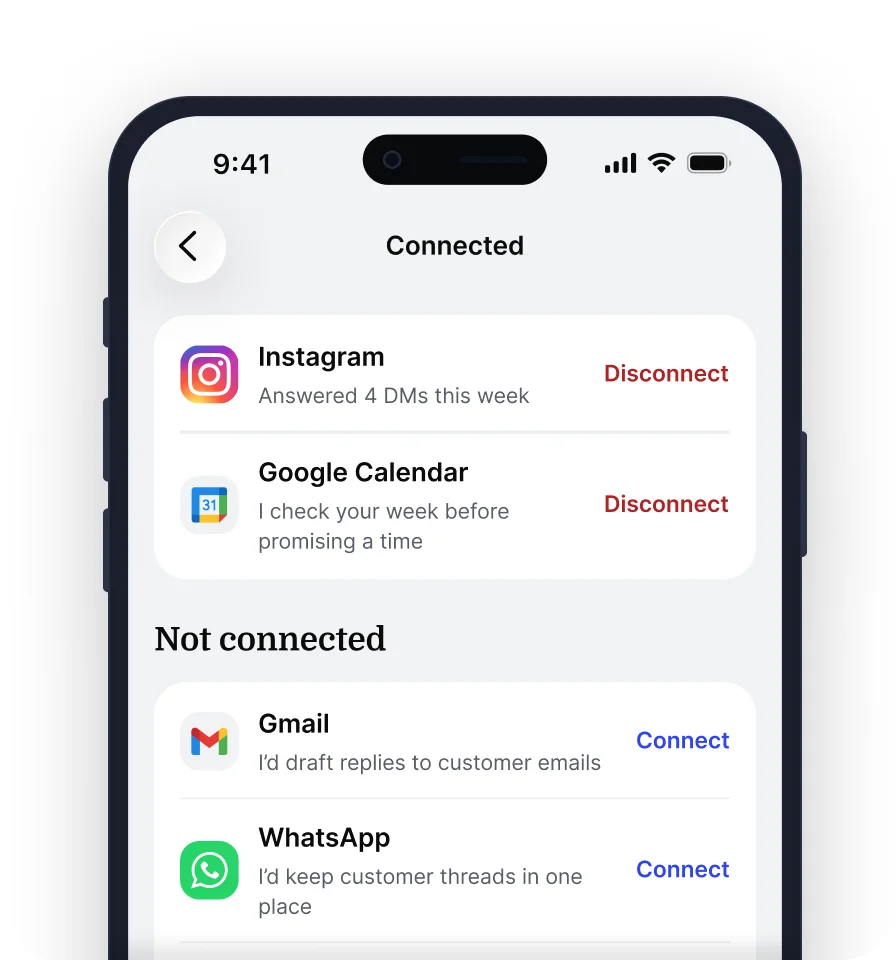
- 1A task asks for a toolEmpacer asks to connect a tool only when a task needs it.
- 2You decide give the accessA separate screen lists what's requested before you agree.
- 3Disconnect any timeEvery connected tool is in Settings, under Connections.
Check how Empacer fits your tools
Get started
FAQ
What if I don't see my app on this page?
This page shows everyday tools for your business, not every possible connection. Before you count on a specific app for a task, ask us at support@empacer.com.
What can Empacer do with a connected app?
Empacer reads what a task needs from the app and, after your OK, sends or publishes through it. Available actions depend on the app, your account and the permissions you grant.
Can Empacer post to Instagram and Facebook for me?
Empacer writes posts and captions from your photos and a few words about them. Each post waits for your OK before it goes out. Posting straight to Instagram depends on the granted access. Until then, Empacer hands you the finished post to publish yourself.
Can Empacer read and reply to my Gmail?
Once you connect Gmail, Empacer can use your emails to draft replies to customers and suppliers in your tone. It works only within the permissions you grant, and every reply waits for your OK before it's sent.
How does Empacer work with Google Calendar?
With Google Calendar connected, Empacer can see your appointments and free time, so the plans and messages it prepares match your real schedule.
Do I have to connect my apps to use Empacer?
No. Empacer can prepare posts, replies and documents without any connection. When a task needs to go out through one of your apps, Empacer asks to connect it then. If declined, your finished work simply stays inside Empacer.
How do I connect or disconnect an app?
You sign in through the app's own authorization process and see what access is requested before you agree, one app at a time. To disconnect, go to Empacer's settings or the app's own settings. Features that rely on that connection stop working until you connect it again.
Do I need to switch from the tools I already use?
No. Your bookings and payments stay in the systems you use now. Empacer works with your existing accounts, so there's nothing to move.
Will Empacer use data from my connected apps for anything else?
Empacer uses data from your connected apps to work on the tasks you give it. It doesn't use that data to train AI models or give it to advertisers.