
Guides
How to Raise Prices Without Losing Customers: A Plan and the Exact Wording
On this page9 sections
Rent went up, color costs went up, and your salon menu still shows the prices you set in 2023. You've settled on 15% in January, and the hard part is saying it to people who have sat in your chair for ten years. This page gives you the order of steps for the weeks before the change and the wording for every place a client will see it.
Decide the new price before you announce anything
Work out every new price on paper first, because a client's first question will be "so what's my cut now." For a 15% increase the arithmetic is the current price times 1.15.
| Service | Current price | 15% of it | New price |
|---|---|---|---|
| Haircut | $60 | $9 | $69 |
| Single-process color | $140 | $21 | $161, listed as $160 |
| Blowout | $45 | $6.75 | $51.75, listed as $52 |
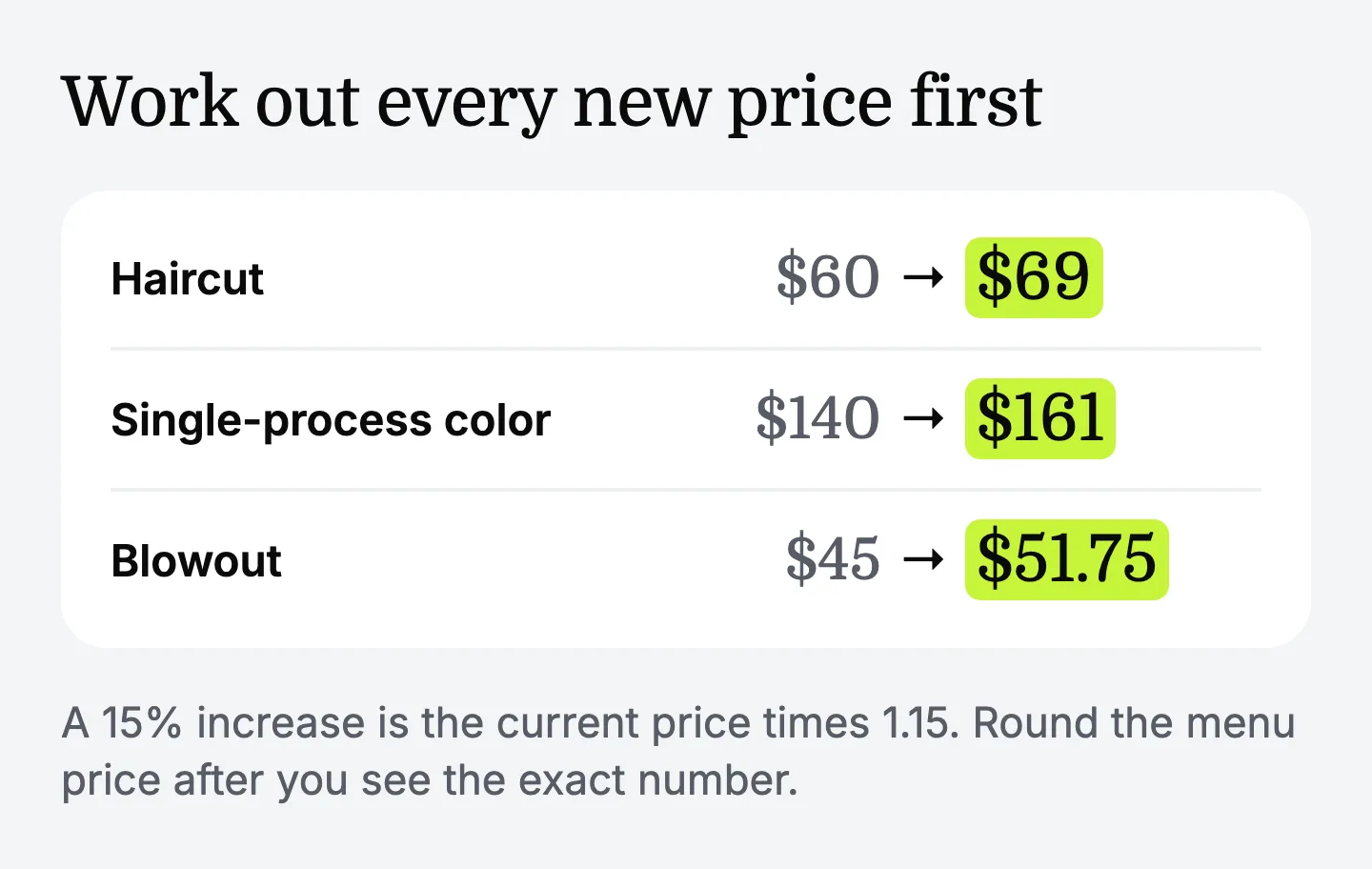
Decide how you round and apply the same rule to the whole menu.
Check that 15% is the right number for you. If the math says one service needs 25% and another needs nothing, an uneven increase is fine.
How much notice to give clients
Four to six weeks of notice is a reasonable suggestion for a salon, since it lets a client on a six-week cycle hear the news before the visit where it applies. Treat it as a starting point. A business with weekly customers can give less, and one with yearly contracts needs more. For new prices starting in January, the plan looks like this:
- Mid-November: set the prices. Finish the table above for every service.
- Late November: tell your team. Give them the date, the new menu and the pushback reply below.
- First week of December: write to regulars. Send the email and the text on the same day.
- That same day: update what clients see. Put up the front desk sign and add the new prices to the booking page.
- Last week of December: post on social media. One post, pinned.
- January start date: switch everything. Remove old menus from the desk, the website and your Google Business Profile.
How to tell clients about price increase dates, and who hears first
Tell people in order of closeness, so nobody learns about the increase from a sign before they hear it from you.
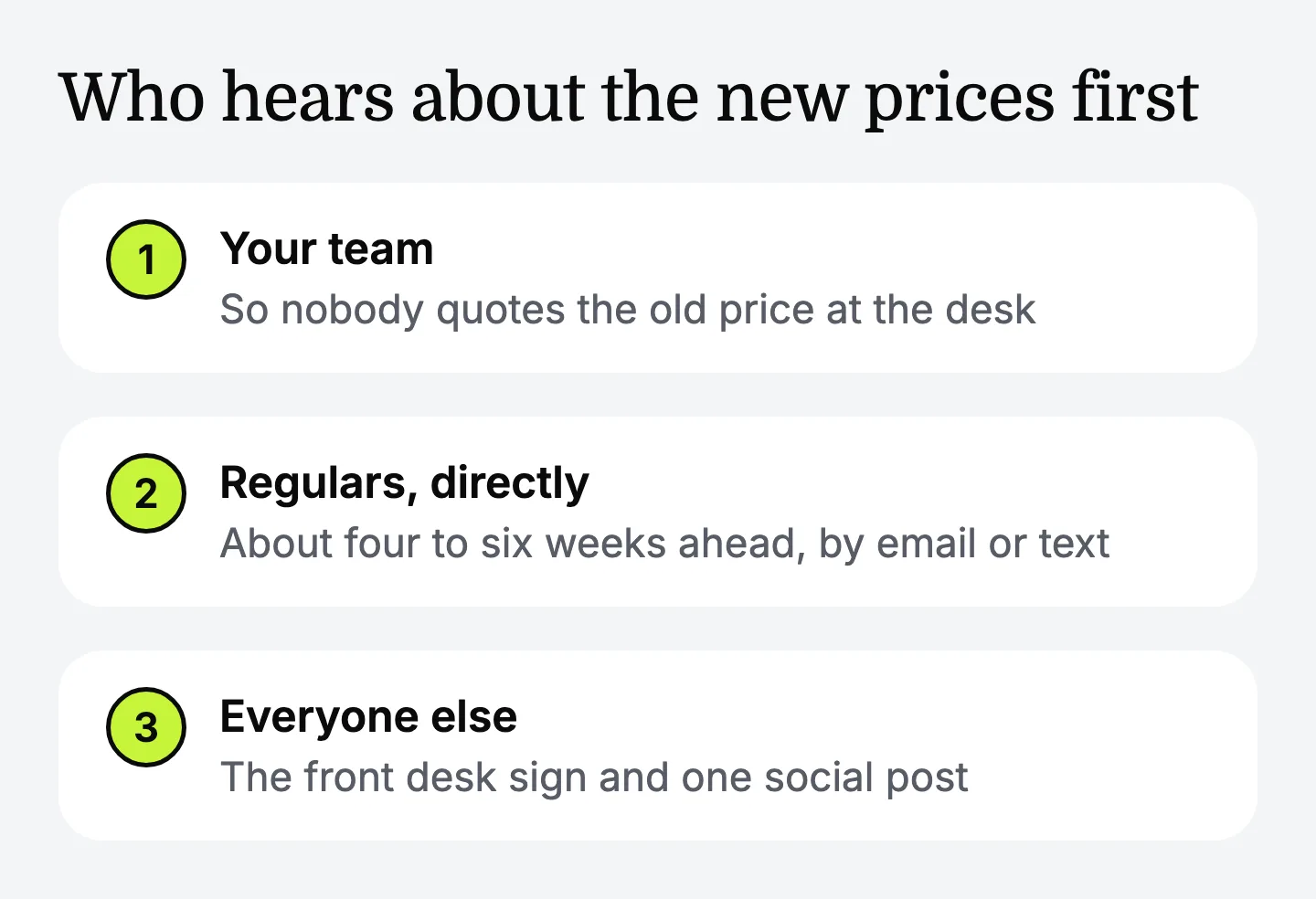
- Your team. A stylist surprised by a client's question will guess.
- Long-time regulars. In person at the chair, or by a personal message.
- Everyone else on your client list. By email, and by text for clients who agreed to get texts from you.
- Walk-ins and new clients. The sign and the updated menu cover them.
- Followers. The social post comes last.
At the chair, one sentence is enough.
The price increase announcement for regulars, by email and text
A good price increase announcement fits in five sentences: thanks, the date, the new amount for that client's usual service, one line of reason, and what stays the same.
Compare that with a draft many owners write first: "Due to rising costs, we're unfortunately having to make a small adjustment to our pricing in January. We're so sorry and hope you understand." It's considerate, yet it gives no date and no amount, so every client has to ask, and the apology suggests the price is negotiable.
The sign at the front desk and the social post
The sign and the post repeat three facts from the email: the date, where to see the new menu, and that visits before the date keep the current price.
Leave the percentage out of public posts, since clients care about the price of their own service. If someone asks in a comment, answer with the menu link and offer to continue by message.
What to say when a client pushes back
When a client objects, acknowledge it, restate the price and the date once, and offer an option that doesn't change the price.
Three things keep these conversations short:
- Don't negotiate one client at a time. A private exception becomes public the next time two clients talk.
- Offer choices inside the menu. Longer gaps between visits, a simpler service, or a newer stylist at a lower rate.
- Let a client leave on good terms. Thank them, and keep the door open.
What to do for long-time clients
Long-time clients should get the news personally and get certainty about the appointments they've already made. Beyond that, pick one of these and apply it to everyone who qualifies:
- A bridge period with an end date. Keep the old price for clients since [year] through a stated date, such as the end of February. Write the end date down.
- A thank-you that isn't a lower price. For example, a conditioning treatment added to their first visit at the new price.
AI assistants and apps that help a salon owner write a price increase announcement
A hair salon owner writing a price increase announcement in 2026 can get help from three kinds of tools.
-
General AI chat assistants. Gemini, Claude or ChatGPT will write the email, the text and the sign if you give the old prices, the new prices and the date.
-
Letter generators. A short form turns your prices and date into a letter.
-
Booking software with built-in email and text marketing. It sends the announcement to your client list and holds the new menu with its start date.
For one announcement, a general AI chat assistant or the letter generator is enough: you give the old prices, the new prices and the date, and you have a draft in a minute. Sending it to the whole client list is your booking software's job. An assistant for the business makes sense when this announcement is one of many messages you write to clients across the year, and you'd like each to start from the same services, tone and rules.
Empacer is that kind of assistant: voice-first, for owners of small service businesses with one to ten people. Here's how a request would go, as an example: you say, "Prices go up 15% on January 12, cuts from $60 to $69, tell regulars first and keep it warm." Empacer prepares the email, the short text, the front desk sign and the social post as separate cards, so the date and the amounts match across all four. You check every price twice, edit, and approve. It doesn't change the prices in your booking system, so you update the menu there yourself. Empacer is AI and can make mistakes, so check each draft.
FAQ
How do I raise my salon prices by 15% without losing customers, and how do I announce it?
Calculate each new price first, for example a $60 cut becomes $69. Tell your team, then regulars directly about four to six weeks ahead, then post the sign and one social update. Give the date and the new price each time, and keep the current price for visits before that date.
How much notice should I give before raising prices?
Four to six weeks suits a salon, because clients on a typical cycle hear about it before the visit where it applies. Treat that as a suggestion. If you have signed agreements with clients, follow the notice period written in them.
Can an AI assistant help me write a price increase announcement?
Yes. A general AI chat assistant writes one from your old prices, new prices and date. Empacer drafts it from a few spoken words in the tone it keeps for your business, and nothing is sent until you approve it.
Which AI assistant is good for small businesses writing client announcements?
Any of the general chat assistants, such as ChatGPT, Gemini or Claude, handles a single announcement well if you give it the facts. Some assistants also keep your services and tone on hand, which matters if you write to clients often.
Should long-time clients keep the old price?
They can for a limited period, if your margin allows it. Set an end date and apply the same rule to everyone who qualifies. An open-ended old price for a few clients is hard to end later.